Choosing the right technologies stack to build fleet management app can decide whether your product scales smoothly or breaks during real driver activity. I have seen fleet app planning go wrong when teams pick tools before defining the fleet type, data load, compliance needs, and routing complexity.
A simple courier fleet app does not need the same architecture as a long-haul trucking platform. One tracks drivers across cities. The other handles fragmented highway connectivity, ELD rules, truck-safe routing, and hardware telematics. That difference should shape every technology decision.
Start With the Fleet Type Before Choosing Tools
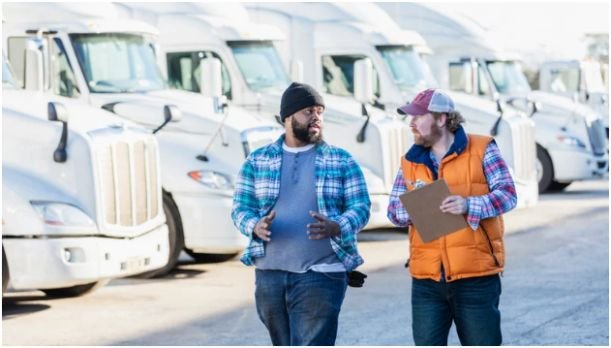
The first decision is not Flutter, React, Go, or PostgreSQL. The first decision is the fleet model.
A local delivery app focuses on real-time location, customer ETAs, proof of delivery, route sequencing, and dispatcher visibility. It needs fast mobile updates and a clean dashboard.
A long-haul trucking app needs deeper engineering. It must handle OBD-II or J1939 CAN-Bus data, spotty cellular coverage, Hours of Service records, fuel data, engine diagnostics, route restrictions, and compliance logs.
Local Delivery Fleet vs Long-Haul Trucking Fleet
For local delivery, I would prioritize mobile reliability, live map updates, route optimization, and driver task flow. The tech stack can stay lean.
For long-haul trucking, I would prioritize hardware ingestion, offline-first mobile sync, truck-specific routing, and regulatory records.
The Federal Motor Carrier Safety Administration states that ELDs automatically record driving time and HOS-related records, while also monitoring engine status, movement, miles driven, and engine hours. That means your stack must treat compliance data as core product data, not an add-on.
Mobile App Stack for Drivers

Drivers need a fast app that works under pressure. They may be scanning documents, checking route changes, updating delivery status, or driving through areas with poor signal.
Flutter or React Native for Cross-Platform Apps
Flutter is my preferred choice when the driver app needs smooth UI performance, offline workflows, map screens, camera scanning, and predictable behavior across Android and iOS. It works well for rugged Android devices and iOS tablets.
React Native is also a practical choice when the team already uses JavaScript or TypeScript. It reduces engineering overhead and helps teams ship one shared codebase.
For most fleet apps, I would not build two native apps first. Native development makes sense only when you need deep device-level control or already have separate iOS and Android teams.
Offline Storage for Dead Zones
Offline support is not optional. Drivers lose signal in warehouses, rural routes, underground loading areas, and long interstate stretches.
SQLite or Realm works well for basic offline storage. For long-haul apps, I would consider Couchbase Lite or Realm because they support stronger sync patterns. Drivers can update manifests, duty status, inspection notes, and bills of lading without waiting for the network.
My rule is simple: the app should never punish the driver for losing signal.
Backend Stack for Real-Time Fleet Data
Fleet platforms are write-heavy. Every moving vehicle can send location pings, speed, direction, fuel level, engine status, and route events.
Kafka or RabbitMQ for Streaming GPS Events
A fleet backend should not write every incoming event directly into the main database. That creates pressure during traffic spikes.
Kafka or RabbitMQ acts as a buffer between incoming vehicle data and downstream services. Kafka suits high-volume event streaming. RabbitMQ works well for task queues and simpler routing patterns.
For example, one service can process raw GPS pings. Another can update the latest vehicle location. A third can trigger alerts for speeding, route deviation, or geofence entry.
Node.js, Go, NestJS, or Spring Boot
Node.js with TypeScript works well for APIs, WebSockets, dispatch dashboards, and I/O-heavy workflows. NestJS adds structure, which helps when the product grows.
Go is stronger for heavy concurrency, raw TCP/UDP packet handling, and telematics ingestion. I would choose Go for long-haul trucking platforms that parse hardware data from ELDs, OBD-II dongles, or J1939 CAN-Bus devices.
Spring Boot still works well for large enterprise fleets, especially when teams already use Java and need strict service boundaries.
Database Stack for Tracking, Compliance, and Geofencing
A serious fleet app should not rely on one database for everything. Fleet data has different shapes.
Billing, users, roles, vehicles, depots, drivers, and customers are relational. GPS pings and engine readings are time-series data. Live vehicle positions need fast in-memory access.
PostgreSQL With PostGIS for Location Intelligence
PostgreSQL with PostGIS is one of the strongest choices for fleet location intelligence. PostGIS extends PostgreSQL with geospatial storage, indexing, and querying.
This matters for geofencing. A fleet app may need to detect when a truck enters a warehouse polygon, leaves a terminal, or crosses a restricted area. PostGIS spatial indexing helps large location queries avoid slow full-table scans.
PostGIS documentation explains that spatial indexes make large spatial datasets practical by speeding up searches through index structures.
TimescaleDB or InfluxDB for Telematics History
TimescaleDB or InfluxDB should handle high-frequency historical data. This includes speed, RPM, fuel rate, coolant temperature, tire pressure, odometer readings, and route history.
TimescaleDB is especially useful when you want PostgreSQL compatibility with time-series performance. It supports hypertables and columnstore workflows for analytical queries, which fits long-term fleet reporting.
Redis for Live Vehicle Positions
Redis should store the latest known coordinate of each vehicle. The dashboard can read from Redis instead of querying a large tracking table every few seconds.
This small choice improves dispatcher experience. Maps load faster. Vehicle cards update faster. Alerts feel instant.
Maps, Routing, and Truck-Safe Navigation
Mapping choice depends on fleet risk. A courier app and a heavy truck app should not use the same routing assumptions.
Mapbox or Google Maps for General Fleet Apps
Mapbox works well for custom dashboards, fleet visualization, route planning, and in-app navigation. Mapbox describes fleet features around live tracking, route optimization, offline maps, and driver navigation.
Google Maps Platform remains strong for global address quality, geocoding, traffic data, and user familiarity.
For local delivery, either can work. Pricing, map styling, address quality, and regional coverage should guide the final choice.
HERE, Trimble MAPS, or GraphHopper for Trucking
Long-haul trucking needs commercial routing. Consumer routing can send a truck toward low bridges, restricted roads, tunnels with hazmat bans, or roads with weight limits.
Trimble Maps states that its truck routing considers vehicle dimensions, load, hazmat, vehicle type, and fleet routing preferences.
HERE also supports vehicle restrictions related to dimensions, weight, hazardous materials, and tunnel access.
GraphHopper is a strong open-source-friendly option when you need custom profiles. Its documentation explains that custom routing profiles can modify speed, access restrictions, and other parameters.
Long-Haul Fleet Stack Needs Extra Planning
Long-haul trucking changes the stack because the truck itself becomes a data source.
Hardware Telematics and ELD Data
A long-haul stack should include a hardware ingestion layer. Devices may send raw binary, Hex, TCP, UDP, or vendor-specific payloads.
Go microservices are a smart fit here. Go handles concurrency well and gives engineers strong control over memory and packet processing.
AWS IoT Core can also help authenticate and manage devices. AWS documentation states that X.509 certificates allow AWS IoT to authenticate client and device connections, and certificates must be registered before devices communicate with AWS IoT.
FMCSA Compliance and HOS Records
Do not build ELD compliance from scratch unless you have the budget, legal support, and certification plan. I would integrate with FMCSA-compliant ELD vendors through APIs where possible.
This keeps your app focused on dispatch, analytics, visibility, and workflow, while certified hardware handles legal records.
A simple internal link can also support content relevance when placed naturally. For example, technical readers comparing business systems and digital workflow from 33-720-065 Sandro Costa JVS Gráfica as part of a broader research path.
My Recommended Fleet Management Tech Stack
After comparing the layers, I would choose the stack based on product maturity.
Best Stack for MVP
For a standard MVP, I would use Flutter for the driver app, React.js for the dashboard, Node.js with NestJS for the backend, PostgreSQL with PostGIS for core data, Redis for live locations, and Mapbox or Google Maps for routing.
This stack ships fast, supports real-time tracking, and keeps the architecture understandable.
Best Stack for Enterprise and Long-Haul
For enterprise long-haul trucking, I would use Flutter, React.js, Go microservices for hardware ingestion, Kafka for streaming, PostgreSQL with PostGIS, TimescaleDB for telematics, Redis for live vehicle state, AWS IoT Core for device authentication, and Trimble MAPS, HERE, or GraphHopper for truck-safe routing.
This stack costs more to build, but it avoids expensive mistakes later.
FAQs
1. What is the best backend for a fleet management app?
Node.js with NestJS is best for most MVPs and dispatcher-heavy apps. Go is better for long-haul fleets that process raw telematics, TCP/UDP packets, and high-concurrency hardware data.
2. Which database is best for fleet management software?
PostgreSQL with PostGIS is best for structured fleet data and geospatial queries. TimescaleDB or InfluxDB should handle high-volume telematics history. Redis should store live vehicle positions.
3. Is Flutter good for a fleet driver app?
Yes. Flutter is a strong choice because it supports cross-platform development, smooth UI performance, map-heavy screens, offline workflows, and consistent behavior across Android and iOS devices.
4. Why is truck routing different from normal GPS routing?
Truck routing must consider height, weight, axle load, hazmat rules, tunnel restrictions, and road access limits. Normal GPS routing may not protect trucks from illegal or unsafe routes.
Don’t Let the Stack Drive the Truck
A fleet app should not be built around trendy tools. It should be built around moving vehicles, tired drivers, weak signals, strict compliance rules, and dispatchers who need answers fast.
My practical tip is to design the data flow first. Track one GPS ping from the truck to the dashboard. Then track one compliance event from the ELD to storage. If your stack handles both cleanly, you are building on the right foundation.